Features
Features are functional areas of your product that describe what part of the user experience a ticket relates to. Examples include Chat, Calendar, Reports, User Management, and Billing. When a ticket is classified, it can be tagged with a feature so teams know which product area is affected.
Role Access Admin can create, edit, and delete features. Lead and Member can view the list.
Getting There
- Click Team in the sidebar
- Select the Features tab
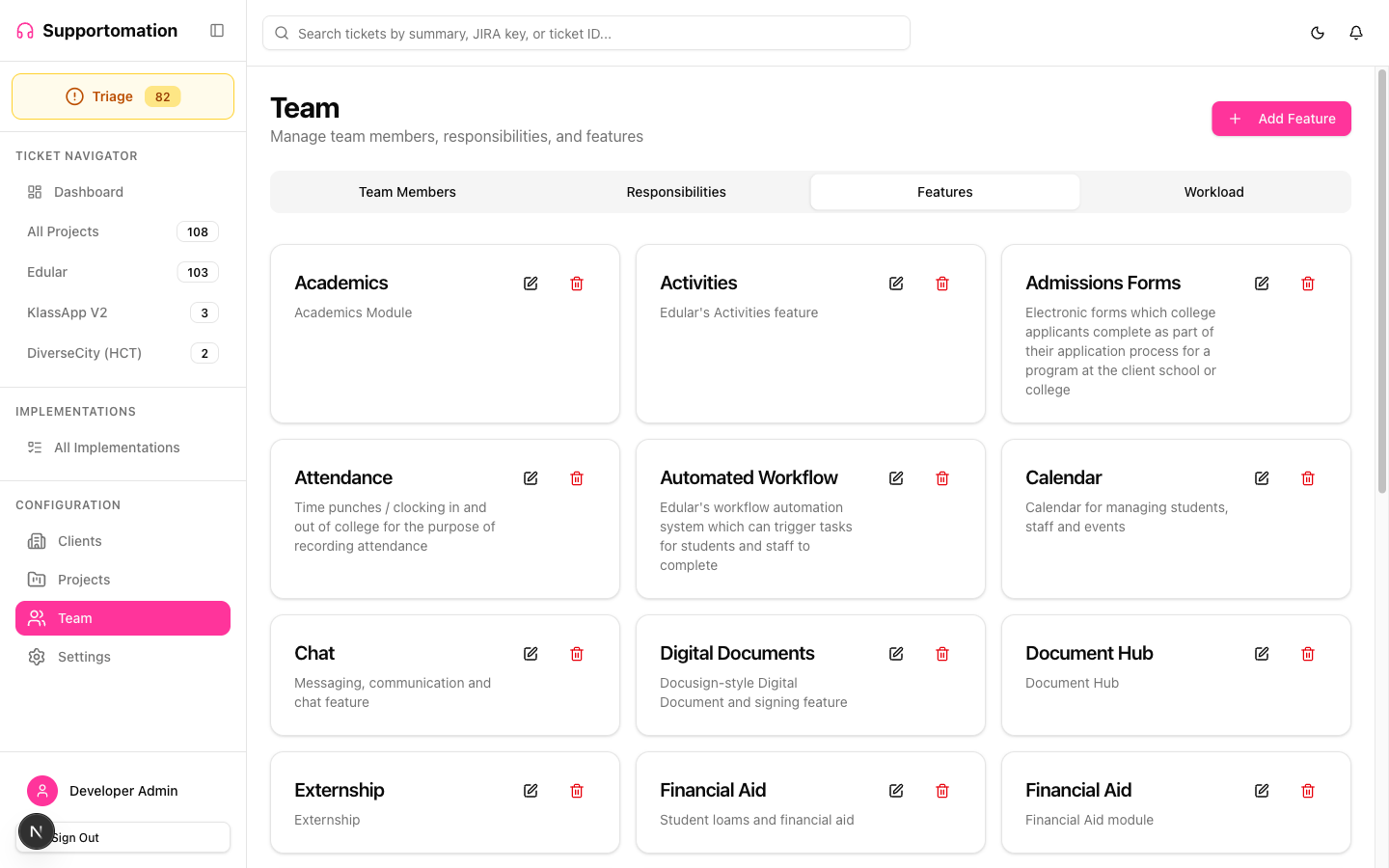
What Features Are
A feature represents a functional area of your product. They answer the question: “What part of the product is the user having trouble with or requesting changes to?”
| Example Feature | Covers |
|---|---|
| Chat | Real-time messaging, chat history, notifications |
| Calendar | Scheduling, events, reminders, recurring items |
| Reports | Dashboards, analytics, data exports |
| User Management | Accounts, profiles, permissions, onboarding |
| Billing | Invoices, payments, subscriptions, pricing |
Features are distinct from Responsibilities, which describe technical layers (where in the stack the work happens) rather than functional areas (what the user is trying to do).
How Features Are Used
- Ticket classification: When AI analyzes an incoming email or when a team member manually edits a ticket, a feature can be assigned to indicate the product area
- Filtering: Features appear on ticket cards and help teams quickly identify which product area a ticket involves
- Reporting: Track how many tickets relate to each product area over time
Managing Features
Creating a Feature
- On the Features tab, click Add Feature
- Enter a name that clearly identifies the product area
- Click Save
Editing a Feature
- Click the edit icon next to the feature you want to change
- Update the name
- Click Save
Existing tickets tagged with this feature will reflect the updated name.
Deleting a Feature
- Click the delete icon next to the feature
- Confirm the deletion
Deleting a feature removes it from future assignment. Tickets that were previously tagged with the deleted feature will no longer display it.
Tips & Troubleshooting
| Issue | Solution |
|---|---|
| Cannot create or edit features | Only Admins can manage features. Check your role. |
| Not sure whether to use a Feature or a Responsibility | Features describe functional areas (what the user does). Responsibilities describe the technical layer (where in the stack). Use both for precise classification. |
| Deleted a feature by mistake | Recreate it with the same name. Previously tagged tickets will not be re-linked automatically. |
Next Steps
- Responsibilities — Define technical domains for the other axis of ticket classification
- Team Members — Manage who is on the team
- Ticket Detail — Where features are assigned to individual tickets